
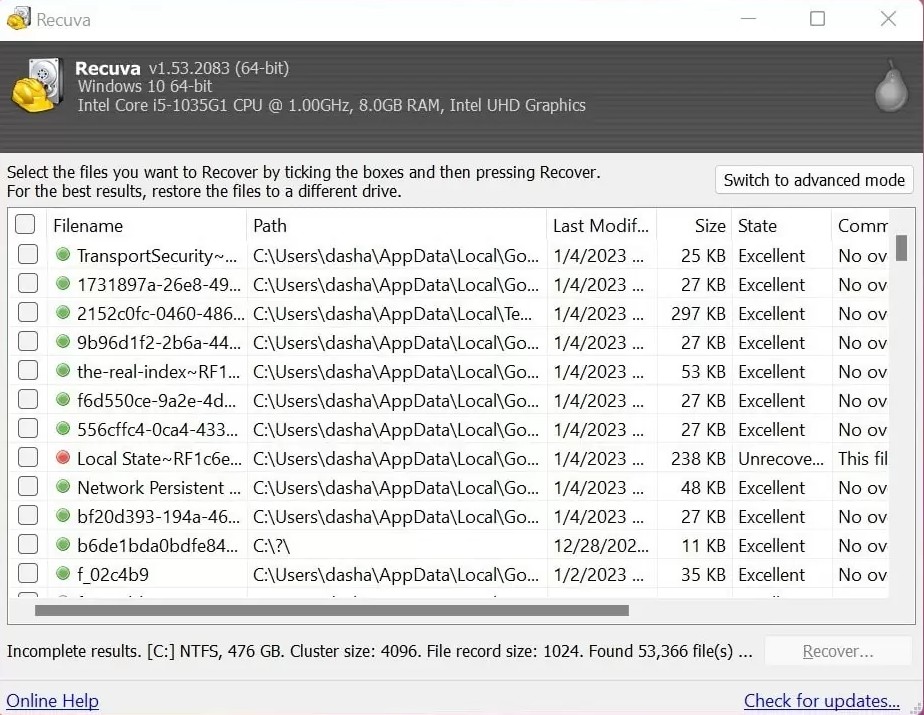
Email on Windows often lives in monolithic files—PST archives for classic Outlook, OST caches for Exchange/365, plus Thunderbird’s profile trees. If the account still exists server-side, re-syncing may restore mail faster than carving fragments from disk.
Before you scan for hours, confirm whether Outlook is set to “Online” or “Cached” mode, retention policies on the mailbox, and whether litigation hold applies. Those answers steer you toward admin tools instead of raw undelete.
Where files usually hide
%LOCALAPPDATA%\Microsoft\Outlookfor many PST/OST defaults.- Thunderbird profiles under
%APPDATA%\Thunderbird\Profileswith maildir or mbox trees. - Exported
.pstbackups on external disks users forgot they made.
When the mailbox was local-only, Recuva may recover whole PST/OST files or pieces of them. Treat recovered mail stores like any large binary: copy to a safe disk, open in a throwaway profile, and export what validates. Combine with support triage if Windows reports permission errors—Outlook locks files aggressively.
Repair vs recovery
Microsoft ships inbox repair tools for PST/OST corruption. If Recuva returns a file that is byte-complete but structurally damaged, scanpst-style repair may succeed where another Deep Scan pass will not. Always work on a duplicate, not the only copy.
Webmail-only users should check browser profiles and export rules; undelete on the PC may still find drag-and-drop attachments in Downloads or Desktop. Calendar and contact data may live in separate stores—expand your search beyond a single PST.
If legal review is involved, preserve chain of custody: image the disk first, document who mounted read-only, and avoid booting the original OS partition if counsel advises a forensic duplicate.
IMAP, MAPI, and “the server still has it”
Modern Outlook with Microsoft 365 often means the authoritative mailbox is in the cloud. Before carving OST fragments, ask whether eDiscovery or admin restore can return the item with intact metadata and folder paths—that path is faster and legally cleaner.
Apple Mail and migrations
Users who migrated Mac → Windows sometimes leave .emlx fragments or exported mbox files on external disks. Recuva on Windows still searches those disks; extension filters help separate mail archives from random binaries.
Windows.old and in-place upgrades
Major Windows upgrades can stash prior profiles under Windows.old for a limited time. If mail lived there, your scan target may be that folder tree—not the live profile. Watch disk cleanup timers that delete Windows.old automatically.
Practical verification steps
- Open recovered PSTs in a disposable Outlook profile; never the CEO’s live mailbox first.
- Export recovered items to
.pstor.mboxonly after spot-checking headers and attachments. - Search for sensitive keywords before sharing the whole tree externally.
When mail recovery is not worth the risk
Highly regulated environments may forbid local undelete on workstations that store PCI or PHI. In those cases, route through the incident process even if Recuva could technically run—policy beats tooling.