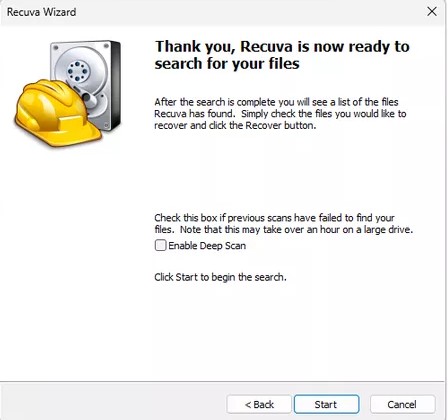
A standard scan is fast because it leans on the file system’s index of deleted entries. When that index is empty—after a quick format, corruption, or aggressive cleanup—Recuva’s Deep Scan becomes the right tool. It trades speed for thoroughness by matching known file signatures across the disk.
Deep Scan does not “guess filenames” the way a normal pass does when the MFT still lists paths. You will see more generic labels and more noise. That is expected: the goal is to surface candidates by content, then let you filter by extension, size, and preview.
When to choose Deep Scan first
- The drive was quick-formatted and a normal scan returns almost nothing.
- The partition table or file system metadata looks damaged, but the hardware still reads sectors.
- You already ran a quick pass, recovered obvious files, and still need carved documents or media.
Set expectations early: large HDDs can run for hours. Prevent sleep, use reliable power, and avoid writing to the source volume. Close sync clients, torrent clients, and anything that might touch the disk in the background. On laptops, keep the machine plugged in and consider taping over the sleep lid sensor if the OS is aggressive about standby.
While results stream in
Sort by path and type before you recover hundreds of JPEG fragments. Use previews for photos when available. For documents, recover a small sample to a safe drive and open them before you batch-copy gigabytes. Duplicate filenames are common after carving—size and modified time become your best hints.
When results land, filter by type and path before you recover; restoring to a different drive remains non-negotiable. If the only spare disk is small, prioritize extensions you care about first, then widen the net.
When Deep Scan is the wrong next step
If the disk clicks, drops offline mid-scan, or SMART tools show reallocating sectors, treat hardware failure as likely. Imaging with a specialist tool—or professional recovery—may beat another overnight pass. Deep Scan cannot repair heads or platters; it only reads what the firmware still exposes.
For more on order of operations and where to save files, follow the workflow page. If scans never finish or the UI freezes, use the support hub for triage patterns.
NTFS, FAT32, and exFAT—what changes in a Deep Scan
On NTFS, a healthy MFT gives rich metadata for normal scans. When the MFT is damaged or wiped, Deep Scan leans on signatures and may rebuild approximate paths only after carving. FAT32 and exFAT on removable media already had simpler directory structures; after format, expect more generic names and more false positives on small text-like fragments.
Cluster size matters for how cleanly contiguous files survive. Large clusters on old FAT32 media can mean “one big photo” occupies more slack space around the edges—sometimes helpful for carving, sometimes confusing when two deleted files shared adjacent clusters.
RAM, pagefile, and hibernation
Windows may page memory to disk under load. A huge pagefile on the same volume you are scanning is not “the same” as user deletes, but heavy paging during recovery can add writes you did not plan for. Close heavy apps, pause backups, and avoid sleeping into hibernation while a scan runs—the hiberfil.sys rewrite is another source of churn.
After you recover: verify like you mean it
- Open a random sample of each file type, not only the first file in the list.
- For databases, run vendor integrity checks; for video, seek to the end of the timeline.
- Compare checksums against any partial backup—even an older copy proves what changed.
Quick reality checks
“Will Deep Scan find my password?” It finds deleted files, not live secrets inside apps. “Can I pause and resume?” If the tool or OS does not offer a safe resume, note where you stopped; restarting may rescan already-stable regions. “Same drive for install and data?” Prefer moving Recuva’s output and temp away from the victim volume entirely.
When you are done, archive the drive image (if you made one) with a dated label. Many teams discover a week later they need one more file—starting from an image beats re-asking the disk to remember.